End of life and active mature are two of the lifecycle statuses manufacturers assign to the controllers, drives, I/O, and software that run a conveyor system. Active mature means a product is still fully supported but a newer one exists; end of life means the manufacturer has announced the date it stops selling the product, and the clock to that date is running.
The two terms sound close, and they get confused in budget meetings all the time. The confusion is expensive in both directions. Treat an active mature notice as an emergency and you spend capital early on a migration you could have planned. Treat an end of life notice as routine and the first time you learn what it means is during an outage, with a failed module and no replacement on any shelf you can reach. This guide explains what each status means, what an operation should do at each stage, and how to keep the whole controls inventory ahead of the calendar.
At a glance
- Rockwell Automation publishes four hardware lifecycle statuses: Active, Active Mature, End of Life, and Discontinued. Other manufacturers use their own terms, but the stages are similar.
- Active mature is the planning window. The product is fully supported, parts are available, and a migration can be scheduled around production.
- End of life is the execution window. A discontinued date is set, and Rockwell’s guidance is to carry out migrations and last-time buys.
- Software and firmware have their own lifecycle, separate from the hardware they run on.
- The tool that makes all of this manageable is a current inventory of every controller, drive, and network device, with its lifecycle status and any end of life date listed beside it.
Table of Contents
What End of Life and Active Mature Actually Mean
The problem: lifecycle notices arrive as a line in a distributor email or a status on a product page. Without the definitions in front of them, people fill in the meaning from the words, and “mature” sounds harmless while “end of life” sounds like the equipment will stop working tomorrow. Neither reading is right.
The engineering answer: use the manufacturer’s own definitions. Most of LaFayette Engineering’s controls work is on Allen-Bradley platforms, so Rockwell’s product lifecycle status page is the reference here. Rockwell defines four statuses:
| Status | Rockwell’s definition | What it means for your operation |
|---|---|---|
| Active | The most current offering within a product category | Safe to standardize on and stock |
| Active Mature | Fully supported, but a newer product or family exists | Plan the replacement and check your spares |
| End of Life | Discontinued date announced; actively execute migrations and last-time buys | Set a migration date and buy critical spares now |
| Discontinued | No longer manufactured or procured; repair or exchange services may be available | Run on spares, repairs, and the secondary market until you migrate |
Two footnotes on Rockwell’s page matter more than they look. First, an end of life product is generally orderable until the discontinued date, but outages on specific items may occur before that date. Second, after discontinuation, limited stock may still be available in run-out mode, regionally. In plain terms: the announced date is the latest you can count on buying new, and some items will run short sooner.
Other platforms work the same way under different names. Siemens, Beckhoff, Keyence, and drive and sensor manufacturers each publish their own lifecycle phases and notice periods. The terms differ, but every one of them describes the same path from current product to unavailable product. Look up the exact definitions for each manufacturer in your building rather than assuming they match Rockwell’s.
Why the Difference Matters to Operations
The problem: a controller doesn’t fail because its status changed. It keeps running the same day it moves to end of life. That’s exactly why lifecycle status gets ignored until something breaks, and by then the decision has been made for you.
The engineering answer: treat lifecycle status as a measure of how hard it will be to recover from a failure. It says little about how likely a failure is. A twenty-year-old processor can run for years more. What changes over the lifecycle is what happens when it does fail:
- While a product is Active or Active Mature, a failed module is a parts order. Replacement is quick, the part is new, and it matches what’s installed.
- Once a product reaches end of life, the replacement may still be orderable, but stock can thin out unevenly before the discontinued date, and prices on remaining stock can rise.
- After discontinuation, a failure means searching for a repaired unit, a surplus part of uncertain history, or a spare you bought years ago. If none of those turn up, the line stays down until an emergency migration is designed, built, and commissioned.
For a distribution center, that last case is the one that costs the most. A sorter or a main transport line that can’t be restarted means missed ship windows, overtime, and customers who notice. The equipment didn’t change. The recovery options did.
Active Mature: The Planning Window
The problem: an active mature notice is easy to put off. Everything still runs, the parts still ship, and there’s always a project that feels more urgent. Skipped long enough, the same work comes back later as an end of life emergency, with less time and less choice.
The engineering answer: use active mature as the cheapest time to plan. Nothing forces your hand yet, so the migration can be designed, budgeted, and scheduled around production instead of against it. Rockwell’s own wording for the status is that customers “gain value by migrating.”
What to do when a platform you depend on moves to Active Mature:
- Confirm the successor. Find the newer product or family the manufacturer names, and check what a move to it involves: new hardware only, new firmware, a software conversion, or a full rewrite.
- Estimate the migration scope. Count the panels, the I/O, the network changes, and the programs affected. A controller swap inside an existing panel is a different project from replacing a rack, its remote I/O, and an old network.
- Put it in the capital plan. Active mature gives you time to budget the work across one or more fiscal years instead of finding the money during an outage.
- Check your spares. Make sure you hold at least one spare for every critical active mature module. Parts are still easy to buy at this stage, and pricing is still normal.
- Pick the migration window. Peak season is the wrong time. Plan cutovers for slow periods, shutdown weeks, or weekends, and plan them in phases if the system allows it.
Active mature can last years, and those years are what let the work happen on your schedule.
End of Life: The Execution Window
The problem: an end of life announcement starts a countdown with a fixed end. Every month spent deciding is a month less to buy parts, design the replacement, and schedule the cutover. Operations that haven’t planned during active mature now have to do all of it at once.
The engineering answer: move from planning to execution. Rockwell’s guidance for end of life products is direct: actively execute migrations and last-time buys.
- Set the migration date. Pick a cutover date ahead of the discontinued date, with margin, and work backward to the design, panel fabrication, programming, and testing it needs.
- Make the last-time buy. For anything that has to run past the discontinued date, buy the spares you’ll need to get there. Size the buy to the number of installed units, how critical each one is, your failure history, and how long the old system must keep running. A building with forty identical I/O modules on its main sorter needs a different buy than one with two.
- Check the whole chain. A controller rarely reaches end of life alone. Its communication modules, power supplies, I/O, and network cards may follow, and some may already be ahead of it. Look up every catalog number in the panel, not only the processor.
- Lock down the programs. Before anything changes, make sure there’s a current, verified backup of every program and its documentation. A migration that starts from an outdated program starts with a problem.
If the migration can’t be finished before the discontinued date, the last-time buy is what keeps the system running in the meantime. That’s why the two actions go together.

After the Discontinued Date
The problem: many facilities are already here. The equipment was installed well before anyone tracked lifecycle, and the controller was discontinued years ago. It still runs, and nobody wants to touch it.
The engineering answer: treat a discontinued platform as a known risk and manage it deliberately until it’s replaced.
- Know your recovery options. Rockwell notes that repair or exchange services may be available for discontinued products. Find out what’s available for your exact catalog numbers before you need it, not during an outage.
- Count your spares on the shelf. Walk the storeroom. A spare listed on a spreadsheet that can’t be found, or that turns out to be the wrong series, isn’t a spare.
- Be careful with the secondary market. Surplus and refurbished parts can keep a line running, but their age, storage, and firmware are often unknown. Test them before you depend on them.
- Get the migration on the calendar. Every year on a discontinued platform, spares get harder to find. The goal is to move to a supported platform before the last spare is used.
One example from Rockwell’s own catalog: Rockwell states that some SLC 500 bulletin numbers are discontinued, including the SLC 5/01, 5/02, and 5/03 8K series, and recommends migrating to CompactLogix 5380. Plenty of conveyor systems still run on SLC 500 processors. LEI’s CompactLogix vs. ControlLogix guide covers how the current controller families compare when you choose a replacement.
Software and Firmware Have a Lifecycle Too
The problem: a hardware inventory can look healthy while the software behind it is falling out of support. Programming software, firmware versions, HMI runtimes, and the Windows computers they run on all age on their own schedules.
The engineering answer: track software and firmware status alongside hardware status. Rockwell publishes a separate set of statuses for software and firmware versions:
- Preferred: what customers should adopt to stay current, and the priority for fixing problems.
- Managed: what to adopt when hardware dependencies prevent moving to a Preferred version.
- Limited: available for customers who don’t want to stay current, and not a priority for fixing problems.
- Retired: no longer available for download, and problems and Windows support issues won’t be addressed.
The practical consequences show up in maintenance. A controller on old firmware may need an old version of the programming software to go online. That software may need an older Windows version. And that laptop may be the only one in the building that can talk to the sorter. When it fails, a working controller becomes one nobody can change. Firmware and software versions belong on the same inventory as the hardware, and the laptop with the right software belongs on the critical spares list.
Old software and firmware are also a security problem, since products that no longer receive updates can’t be patched. LEI’s article on PLC security covers how lifecycle and security planning fit together.
Building a Lifecycle Inventory
The problem: most facilities can’t answer a simple question: which control products in this building are end of life, and what runs on them? Without that answer, every lifecycle decision is a guess.
The engineering answer: build an inventory, then keep it current. CISA’s OT asset inventory guidance, published in August 2025, describes an asset inventory as an organized, regularly updated list of an organization’s systems, hardware, and software, and includes life cycle management as one of the steps. The attributes it suggests collecting include manufacturer, model, serial number, firmware or software version, physical location, and asset criticality. That list works for lifecycle planning as well as for security.
For a conveyor system, a useful inventory has one row per device and these columns:
- Location: building, area, panel number.
- Device: manufacturer, catalog number, series, and firmware version.
- Function: what it runs, such as the main sorter, induction, a shipping line, or a print and apply station.
- Criticality: what stops if it fails, and for how long.
- Lifecycle status: the manufacturer’s current status and, if announced, the end of life and discontinued dates.
- Spares: how many are on the shelf, where, and when they were last checked.
- Plan: the migration project or spares action assigned to it, with a target date.
Start with the processors, the communication modules, the drives on critical lines, and the HMI computers. Those are the devices whose failure stops the most conveyor. Then recheck the statuses every year, because manufacturers update them on their own schedule. The panel drawings and bill of materials from the original installation are the fastest place to start, if they’re current.
Migrate, Stock, or Repair: Matching the Action to the Status
The problem: not every end of life product needs a migration this year, and not every active mature product can wait. Budgets are limited, so the order matters.
The engineering answer: combine lifecycle status with criticality. The status tells you how much time you have. The criticality tells you how much a failure would cost. Together they set the priority.
| Lifecycle status | High criticality (sorter, main line) | Low criticality (one door, one spur) |
|---|---|---|
| Active | Standardize; hold normal spares | Hold normal spares |
| Active Mature | Budget the migration; add a spare | Hold one spare; review yearly |
| End of Life | Schedule migration before the discontinued date; last-time buy | Last-time buy; migrate with the next project |
| Discontinued | Migrate first; secure repair options now | Run on spares; migrate when practical |
A few rules of thumb come out of that table. The most critical discontinued equipment goes to the top of the list, even if it’s running fine. A low-criticality end of life device can often ride on spares until a larger project replaces it. And anything active mature on a critical line should already have a migration plan, even if the work is two or three years out.

Common Mistakes With Lifecycle Status
- Tracking only the processor. I/O modules, communication cards, power supplies, and drives each have their own status. A current processor in a chassis full of discontinued I/O is still at risk. Check every catalog number for an end of life notice.
- Confusing “still available” with “safe.” Parts can be found for many discontinued products. Availability at an unknown price and condition is a different thing from a supported product.
- Waiting for a failure to justify the budget. The cost of a planned migration is easier to approve than the cost of an emergency one, but only if someone makes the case before the outage.
- Buying spares nobody can find. A last-time buy only helps if the parts are labeled, stored properly, and recorded where the maintenance team will look.
- Converting old code without reviewing it. A line-for-line conversion carries old workarounds into new hardware. For a sorter, reviewing or rewriting the logic during the migration is often worth the time. LEI’s PLC migration roadmap covers how to sequence the work without stopping production.
How LaFayette Engineering Approaches Lifecycle Planning
LaFayette Engineering designs and installs controls for conveyor systems, including high-speed case sortation, and it works on both sides of the question: as the integrator that specifies the controls, and as the team that supports them after start-up. Most of LEI’s work is on Allen-Bradley platforms, so Rockwell’s lifecycle calendar is part of its routine: which product families are maturing or nearing end of life, what the migration paths look like, and where spares are getting thin.
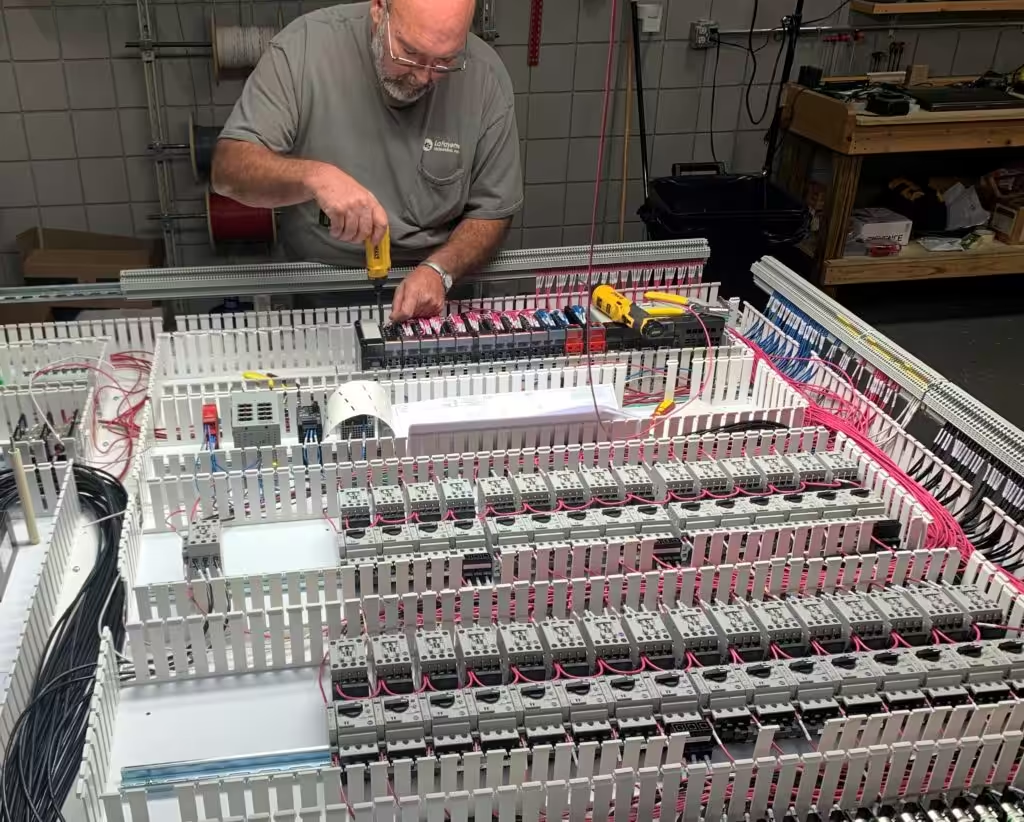
That starts at design. LEI uses only open, non-proprietary components and programming architectures, with components from recognized manufacturers so spare parts are available locally. Every LEI controls project produces AutoCAD Electrical drawings, including panel layouts with a bill of material, which become the starting point for a lifecycle inventory later.
After start-up, LEI’s support team can help by phone or connect directly to the PLC over a customer’s VPN, under warranty, business-hours, or extended 24/7/365 coverage. LEI’s support offering also includes life cycle schedules and preventive maintenance plans.
Sometimes the right answer is a migration plan. Just as often, it’s a spares strategy that buys the time to do the migration right. If you want to know where the controls in your facility sit on their lifecycle, LEI’s PLC controls team can help you build the inventory and plan the next step.
This article is general information, not engineering advice. Confirm lifecycle status and replacement products with each manufacturer for your exact catalog numbers.
Frequently Asked Questions
What is the difference between end of life and active mature?
Active mature means a product is fully supported, but a newer product or family exists. End of life means the manufacturer has announced a discontinued date. Active mature is the time to plan a migration. End of life is the time to carry it out and make last-time buys.
Does end of life mean my PLC will stop working?
No. An end of life status is a sales and support milestone, not a failure prediction. The controller keeps running. What changes is how hard it becomes to replace it, repair it, or get support for it when it does fail.
Can I still buy a product after it reaches end of life?
Generally yes, until the discontinued date. Rockwell notes that end of life products are generally orderable until that date, but outages on specific items may occur before it. After discontinuation, limited run-out stock may be available in some regions.
What is a last-time buy?
A last-time buy is a final purchase of spare parts before a product is discontinued, sized to keep the installed equipment running until it’s replaced. The right quantity depends on how many units are installed, how critical they are, your failure history, and how long the system must keep running.
How long does a product stay active mature?
It varies by manufacturer and product. Some products stay active mature for years before an end of life announcement. Check the manufacturer’s lifecycle status for each catalog number at least once a year, since statuses change on the manufacturer’s schedule.
Do software and firmware have lifecycle statuses?
Yes. Rockwell uses Preferred, Managed, Limited, and Retired for software and firmware versions. A retired version is no longer available for download, and its problems won’t be addressed. Track software and firmware versions alongside the hardware they run on.
What should a controls lifecycle inventory include?
At minimum: location, manufacturer, catalog number, series, firmware version, what the device runs, how critical it is, its current lifecycle status, the spares on hand, and the plan for it. Start with processors, communication modules, critical drives, and HMI computers.
Is it better to migrate early or wait until end of life?
For critical equipment, plan during active mature and migrate before the discontinued date. That keeps the project on your schedule, with parts available. For low-criticality equipment, holding spares and migrating with a larger project is often the better use of budget.