A scan tunnel is a set of barcode readers mounted around a conveyor so that it can read a barcode on any visible side of a carton, tote, or polybag as it passes through at full conveyor speed. When a scan tunnel is paired with a dimensioner and an in-motion scale, the combination is called a DWS system, for dimensioning, weighing, and scanning.
Together they answer the questions every downstream decision depends on: what this item is, how big it is, and how much it weighs. The sorter can’t divert an item it can’t identify. The WCS can’t choose a carton lane, a shipping service, or a label without the data. And when that data is missing or wrong, the item goes to a reject lane where a person has to handle it, or it goes to the wrong place and gets handled twice. This guide explains how scan tunnels and DWS systems work, where they belong in the flow, and what they need from the controls to perform.
At a glance
- A scan tunnel uses multiple readers, arranged around the conveyor, to read a barcode wherever it sits on the item, without operators orienting product.
- A DWS system adds a dimensioner and an in-motion scale, so every item leaves with an identity, dimensions, and a weight.
- The data feeds the WCS, which uses it to assign destinations, verify orders, choose shipping, and print labels.
- Read rate depends as much on spacing, label quality, and tracking as on the readers themselves.
- Every scan tunnel needs a clear plan for exceptions: no-reads, multiple reads, missing dimensions, and weight mismatches.
- If dimensions or weights are used to charge customers, legal-for-trade requirements may apply.
Table of Contents
What a Scan Tunnel Does
The problem: a sorter is only as accurate as its identification. Before automated scanning, operators turned each carton so the barcode faced a single fixed scanner, or keyed in exceptions by hand. That works at low volume. It doesn’t scale, and every manual touch is a chance for an error and a limit on rate.
The engineering answer: a scan tunnel surrounds the conveyor with readers so that the label can be on the top, the sides, the leading or trailing face, or, in some designs, the bottom. Readers mounted below the conveyor read through a gap between two conveyor sections. The item passes through without stopping, and the tunnel reports the barcode, or barcodes, it found.
The readers usually sit inside a frame or enclosure over the conveyor. The enclosure holds the readers in fixed positions, supports lighting, and keeps people clear of the moving conveyor. Photo eyes at the entrance tell the system when an item arrives so the reads can be tied to that item.
Most scan tunnels sit on a straight run of conveyor after the merge and gapping section and before the sorter. That position matters: the items have been spaced out, so each one passes through the readers alone, and there is still enough distance before the first divert for the WCS to assign a destination.
Camera-Based and Laser Scanners
Scan tunnels are built with two main reader technologies, and many operations now favor camera-based readers.
Laser scanners sweep a laser line across the item and read the pattern of light reflected from a one-dimensional (1D) barcode. They have a long history in conveyor scanning and read standard 1D shipping and product barcodes well.
Camera-based readers, sometimes called imagers, capture an image of the item and decode the barcode from the image. They read both 1D barcodes and two-dimensional (2D) codes such as QR and Data Matrix codes, which laser scanners can’t read. Because they capture images, camera-based systems can also save a picture of an item that didn’t read. That picture is often the fastest way to find out why: a missing label, a damaged label, a label folded under a polybag seam, or two items riding too close together.
The choice depends on the codes your operation and your customers use now and expect to use, the conveyor speed and item sizes, and how much diagnostic information the team wants. LEI’s Pitman Creek success story lists SICK cameras alongside an Allen-Bradley PLC, Balluff communication blocks, a Panther P9 print and apply system, and the ConveyorWorks WCS on a fishing tackle distributor’s new facility.
What DWS Adds: Dimensioning and Weighing
A scan tunnel tells the system what an item is. A DWS system adds how big it is and how much it weighs. Each piece answers a different operational question.
Dimensioning
The problem: shipping charges, carton selection, trailer loading, and sorter fit all depend on item size. When size is estimated from master data instead of measured, the estimate is wrong whenever the product, the packaging, or the carton choice changes.
The engineering answer: a dimensioner measures the length, width, and height of each item in motion, usually with laser or optical sensors mounted over the conveyor. The measurements go to the WCS along with the barcode. Common uses:
- Shipping charges. Parcel carriers commonly bill by the greater of actual weight and dimensional weight, which is calculated from package size. Measured dimensions let the operation see and control what it will be billed.
- Carton and packaging checks. Measured size shows when an order went into a larger carton than it needed.
- Sorter and chute fit. An item too tall or too long for a destination can be routed to a different lane or to manual handling before it jams.
- Planning. Accurate cube data improves trailer loading and space planning.
Irregular items, such as polybags and soft packs, are harder to measure than rectangular cartons. The specification should say how the dimensioner handles them and what it reports when it can’t produce a reliable measurement.
Weighing
The problem: a carton can be labeled, scanned, and sorted correctly and still be wrong inside. A missing item, an extra item, or the wrong item leaves the building looking fine.
The engineering answer: an in-motion scale, a short conveyor section mounted on load cells, weighs each item as it passes. The WCS compares the measured weight with the expected weight for that order or SKU, within a tolerance, and routes cartons that fall outside it to a check or audit station. Weight also feeds shipping charges and carrier manifests.
An in-motion scale needs each item to be on the scale by itself and to settle long enough for a stable reading, so spacing and conveyor speed through the scale section are part of the design.
Where a Scan Tunnel Belongs in the Flow
A scan tunnel or DWS system can sit in several places, and larger operations often have more than one.
- Before the sorter. The most common position. Every item is identified, and often measured and weighed, before the WCS assigns its destination.
- At receiving. Scanning, measuring, and weighing inbound cartons captures data for receiving, putaway, and cross-docking before the product goes anywhere else.
- Before print and apply. Shipping labels depend on order identity, dimensions, and weight. A DWS system upstream of the labeler gives the WCS and the shipping software what they need to rate the package and print the label. LEI’s guide to print and apply labeling covers how the printer, the WCS, and the verification scanner work together.
- At returns and audit stations. Identifying and weighing returned or suspect cartons supports faster disposition.
LEI’s East Coast success story shows how this data runs through a whole facility. The site was designed to process 260,000 cartons per day, including cartons and polybags. LEI and its partners captured weights, dimensions, and barcodes from receiving through to outbound destinations, and LEI’s ConveyorWorks team worked with the customer’s WMS to track each carton and polybag to the correct outbound destination. The facility opened in time for peak and shipped 266,000 cartons per day in its first month.
The Controls Behind a Scan Tunnel
The readers get the attention, but most scan tunnel problems are solved, or caused, in the controls.
Triggering and Tracking
A photo eye at the tunnel entrance sees the item’s leading edge and opens a read window for that item. The PLC tracks the item from that point, usually by counting conveyor encoder pulses, so that every read, every dimension, and every weight is tied to the right item. If two items enter too close together, the system can’t tell which read belongs to which item, and both may go to the reject lane.
Spacing and Gapping
The problem: tight gaps raise conveyor rate, but they also put items side by side or nose to tail in the read window and on the scale.
The engineering answer: set the gap from the needs of every device in the line, the sorter included. The readers need each item alone in its read window. The dimensioner needs a clean edge to measure. The scale needs each item alone on the weigh section. The merge and gapping logic upstream has to deliver that spacing consistently.
Distance to the First Decision
The problem: the WCS needs time to receive the read, look up the item, and send a destination back to the PLC. If the first divert is too close to the tunnel, items arrive before their destination does.
The engineering answer: design the distance from the scan tunnel to the first decision point around the conveyor speed and the WCS response time, with margin. Items whose destination arrives late should go to a defined recirculation or exception path.
Data Rules
A carton can carry several barcodes: a shipping label, a product UPC, a license plate number, and old labels from a previous trip. The system needs rules for which code to use, based on symbology, length, prefix, or position, and what to do when it finds two valid codes that conflict. These rules usually live in the WCS, and they need to be written down and tested, because they are a common cause of “the scanner read it, but it went to the wrong place.”

Exceptions: What Happens When the Scan Tunnel Can’t Answer
Every scan tunnel produces exceptions. The design question is how they are handled, and how fast someone learns about them.
Common exception types:
- No-read. No valid barcode was found.
- Multiple reads. More than one valid barcode was found and the rules couldn’t choose between them.
- No destination. The barcode read, but the WCS has no destination for it.
- No dimensions or no weight. The dimensioner or scale couldn’t produce a valid result.
- Weight mismatch. The measured weight is outside the expected range for that order or SKU.
- Out of gauge. The item is too large, too small, or too heavy for the sorter or its destinations.
Each exception needs a defined route, usually a reject or exception lane with a station where an operator can fix the problem, rescan the item, and send it back into the flow. That station has to be sized for the real exception rate, or product backs up and the line stops.
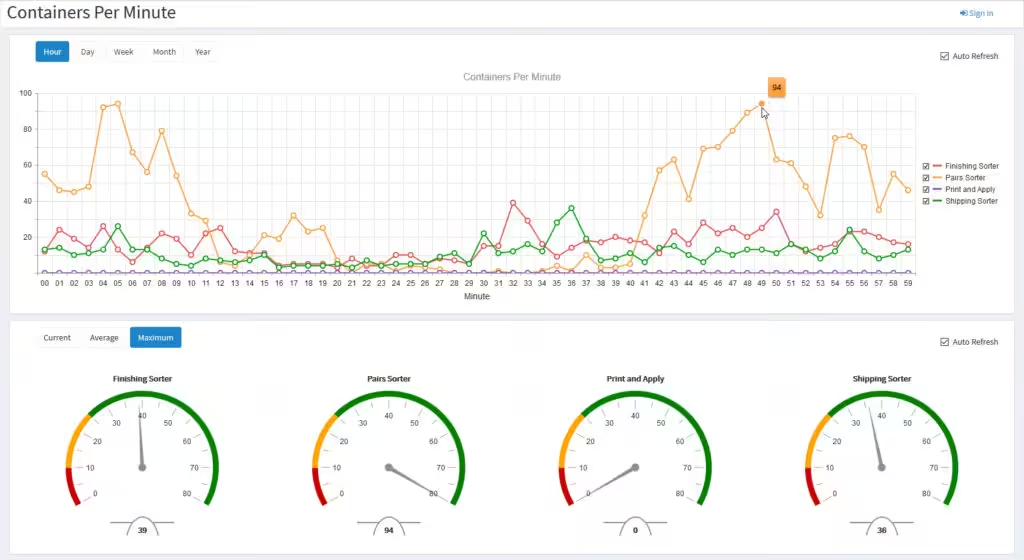
Each exception also needs reporting. An HMI that shows no-read rate, weight mismatches, and reject counts by hour and by shift turns exceptions into something the team can fix. Without that data, no one can tell whether a rising reject rate comes from the scan tunnel, from labels arriving from a supplier, or from a merge that’s bunching product.
Why Read Rates Drop, and How to Find the Cause
When a scan tunnel’s read rate falls, the readers are often not the cause. Typical causes include:
- Label quality. Poor print contrast, damaged labels, or labels printed too small.
- Label placement. Labels on a face the scan tunnel doesn’t cover, wrapped around an edge, or folded into a polybag seam.
- Packaging. Shiny film, wrinkled polybags, and clear tape over the code create glare and distortion.
- Spacing. Items too close together, side by side, or overlapping in the read window.
- Speed and position. Items outside the readers’ depth of field, or moving faster than the scan tunnel was set up for.
- Maintenance. Dirty windows and lenses, readers knocked out of alignment, or failed lighting.
The fastest way to sort these out is data. No-read images from a camera-based scan tunnel, combined with reject counts by time, product, and supplier, usually point straight to the cause. Fixing a supplier’s label placement can do more for read rate than new hardware.

Legal for Trade: When DWS Data Is Used to Charge Customers
The problem: a DWS system used only for internal routing and verification is an operations tool. When its measurements are used to charge a customer, for example to bill freight in a 3PL operation or to calculate shipping charges, the system becomes a commercial weighing and measuring device, and different rules can apply.
What to know: in the United States, NIST Handbook 44, published by the National Institute of Standards and Technology and adopted by the National Conference on Weights and Measures, sets specifications, tolerances, and technical requirements for commercial weighing and measuring devices. The current edition includes a code for multiple dimension measuring devices (Section 5.58) and a code for automatic weighing systems (Section 2.24). Devices used commercially are generally type-evaluated through the National Type Evaluation Program (NTEP), and state and local weights and measures officials enforce the requirements.
Before buying or specifying a DWS system, decide whether its data will be used commercially, and if so, involve your equipment supplier and your state weights and measures office early. This article is general information, not legal advice.
6 Design Checks for a Scan Tunnel or DWS Project
For operations and engineering leaders, these six checks catch most problems before a scan tunnel or DWS system is installed.
1. Which codes, and where?
List every barcode type the system must read now and is likely to need later, including 2D codes, and where labels sit on your products. Include supplier labels you don’t control. This decides the reader technology and how many faces the scan tunnel must cover.
2. What spacing does every device need?
Confirm the gap the scan tunnel, the dimensioner, and the scale each need, and make sure the merge and gapping logic can deliver it at the design rate.
3. How far is the first decision point?
Check the distance from the scan tunnel to the first divert against conveyor speed and the WCS response time. If the layout is tight, plan where late items go.
4. Where do exceptions go, and who handles them?
Design the exception lane and station for the expected volume, decide what operators can fix there, and make sure fixed items can re-enter the flow.
5. Will the data be used commercially?
If dimensions or weights will be billed, plan for legal-for-trade requirements from the start rather than discovering them after installation.
6. Can the system be supported for its whole life?
Readers, dimensioners, and scales are electronic devices with their own lifecycles and firmware. Ask how replacement parts are sourced, how the configuration is backed up, and who can support the interface to the PLC and the WCS years from now. LEI’s controls work uses open, non-proprietary components and programming architectures, with components from recognized manufacturers, so spares are available locally.
How LaFayette Engineering Uses Scan Tunnel and DWS Data
LaFayette Engineering designs and installs controls for conveyor systems, including high-speed case sortation. In those systems, the scan tunnel and DWS data is where the controls and the software meet. The PLC handles triggering, tracking, and the divert. The ConveyorWorks warehouse control system takes the identification, dimensions, and weight and turns them into decisions. LEI describes ConveyorWorks as providing real-time product routing and interfacing with the warehouse management system to obtain routing information for items.
Its published capabilities also include automatic detection of duplicate or incorrect items being packed, interfaces with shipping software providers for rate shopping and delivery tracking, printing of packing slips and shipping labels, and print and apply with a verification scanner to confirm the label was printed and applied properly.
That combination is what makes a scan tunnel worth the investment. A read that reaches a WCS able to act on it, in time, with a clear rule for every exception, keeps product moving to the right destination and keeps people out of the reject lane.
If you’re adding a scan tunnel or DWS system, or trying to find out why the one you have rejects too much product, start with LEI’s warehouse control system and sortation solutions, and talk through your products, labels, and rates with the team.
Frequently Asked Questions
What is a scan tunnel?
A scan tunnel is a group of barcode readers arranged around a conveyor so it can read a barcode on any visible side of an item, and in some designs the bottom, as the item passes at conveyor speed. It identifies each item without operators turning the barcode toward a scanner.
What is a DWS system?
DWS stands for dimensioning, weighing, and scanning. A DWS system combines a scan tunnel with a dimensioner and an in-motion scale, so each item is identified, measured, and weighed in one pass. The data goes to the WCS for routing, verification, shipping, and labeling.
Where should a scan tunnel go in a conveyor system?
Most often after the merge and gapping section and before the sorter, so items pass through one at a time and the WCS has time to assign a destination before the first divert. Scan tunnels are also used at receiving, before print and apply, and at returns or audit stations.
What causes no-reads in a scan tunnel?
Common causes are poor print quality, damaged labels, labels on a face the scan tunnel doesn’t cover, glare from film or tape, items riding too close together, and dirty or misaligned readers. Images of no-reads and reject data by time and supplier usually point to the cause.
Can a scan tunnel read 2D barcodes?
Camera-based scan tunnels can read 2D codes such as QR and Data Matrix as well as standard 1D barcodes. Laser scanners read 1D barcodes but not 2D codes, so the codes you need to read help decide the reader technology.
How does an in-motion scale catch order errors?
The scale weighs each carton as it passes, and the WCS compares that weight with the expected weight for the order or SKU. Cartons outside the tolerance go to a check station, which catches missing, extra, or wrong items before they ship.
Does a DWS system need to be legal for trade?
Only when its measurements are used commercially, such as to bill customers. In the United States, NIST Handbook 44 includes codes for multiple dimension measuring devices and automatic weighing systems, and devices used commercially are generally evaluated through NTEP. Check with your supplier and your state weights and measures office.
Can a scan tunnel be added to an existing conveyor system?
Often, yes, provided there’s a straight section with room for the tunnel, enough distance to the first decision point, and controls and WCS software that can take the new data. The tracking, gapping, and exception handling usually need updating along with the hardware.