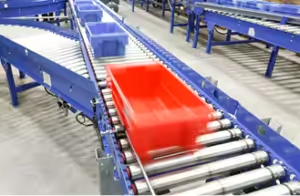
Print and apply labeling is an automated process that prints a label for a specific carton on demand and applies it to that carton as it moves down a conveyor. A complete print and apply system identifies the carton, gets the right label data from the warehouse control system (WCS) or host system, prints and applies the label, then scans it to confirm it’s correct before the carton moves on.
The printer gets most of the attention. In practice, a print and apply line succeeds or fails on the data and timing around it: whether the label data arrives in time, whether the label lands on the right carton, and what happens when a scan fails. This guide walks through each step from the first scan to a verified label, and the controls decisions that keep labels accurate at full rate.
At a glance
- A print and apply system has five working parts: an identification scanner, the WCS or host software that supplies label data, the printer and applicator, a verification scanner, and the PLC logic that tracks each carton and handles exceptions.
- The label is often the last data handoff before a carton leaves the building. A wrong or unreadable label becomes a mis-ship, a carrier problem, or a no-read at the sorter.
- Most print and apply problems trace back to timing and exception handling.
- Every line needs a defined answer for no-reads, late data, missing labels, and bad labels, usually a reject lane and a log.
- The PLC platform matters less than the design: the printer, the WCS, and the PLC each need a clear job and a clean handshake.
Table of Contents
Why Print and Apply Is a Controls Problem
The problem: print and apply sits at the point where physical flow and order data meet. The WMS knows which order a carton belongs to and how it ships. The conveyor knows where the carton is. The printer knows neither. Something has to connect them at the moment the carton reaches the applicator.
The consequence: when that connection breaks, the line keeps running and the error travels. A label for one order lands on another order’s carton. A carton passes the applicator with no label. A label prints but goes on crooked or wrinkled, and the sorter’s scanner can’t read it. Each one costs labor at a reject lane or exception station, and the ones that slip through cost more after they leave the dock.
The engineering answer: treat print and apply as a controls system with a printer in it. The PLC tracks every carton from the identification scan to the verification scan. The WCS answers one question per carton (what goes on this label) within a fixed time. The verification scanner closes the loop. When any step fails, the carton goes to a known place with a known reason logged.
LaFayette Engineering describes a standard print and apply system the same way on its Print & Apply solutions page: a barcode scanner to identify the packaged product, a print and apply machine to create the label, conveyor for inducting, labeling, and rerouting, a verification scanner to read the printed label, and software to merge the data and communicate with the host system.
How Print and Apply Works: 6 Steps From Scan to Verified Label

1. Identify the carton
The problem: the system has to know which carton it’s looking at before it can ask for a label.
The engineering answer: a fixed scanner or camera reads a barcode already on the carton, such as a license plate number applied at packing or a tote ID. Some lines also weigh and dimension the carton at this point, because the carrier label may depend on weight and size. LEI’s published labeling line spec lists in-line scale and dimensions as options, and its East Coast success story describes capturing weights, dimensions, and barcodes before sortation.
2. Request the label data
The problem: the label content usually lives outside the conveyor controls: in the WMS, a shipping system, or carrier software.
The engineering answer: the WCS takes the carton ID, gets the order and shipping data, and builds the label. Depending on the operation, that can include rate shopping between carriers and generating a tracking number. LEI’s ConveyorWorks WCS lists shipping software interfaces for rate shopping and tracking, packing slip printing, carton and shipping label printing, and print and apply with a verification scanner. The WCS then sends the label to the printer assigned to that carton.
3. Print the label
The problem: the printer has to finish the label before the carton reaches the applicator, every time, at the line’s peak rate.
The engineering answer: industrial print engines are built for continuous duty. Direct thermal printing suits short-life shipping labels; thermal transfer, which uses a ribbon, suits labels that must stay legible longer. LEI’s older article on print and apply label system components covers print engines and printing methods in more detail.
4. Apply the label
The problem: the label has to land on the correct face of the correct carton, flat and in a position the downstream scanners can read.
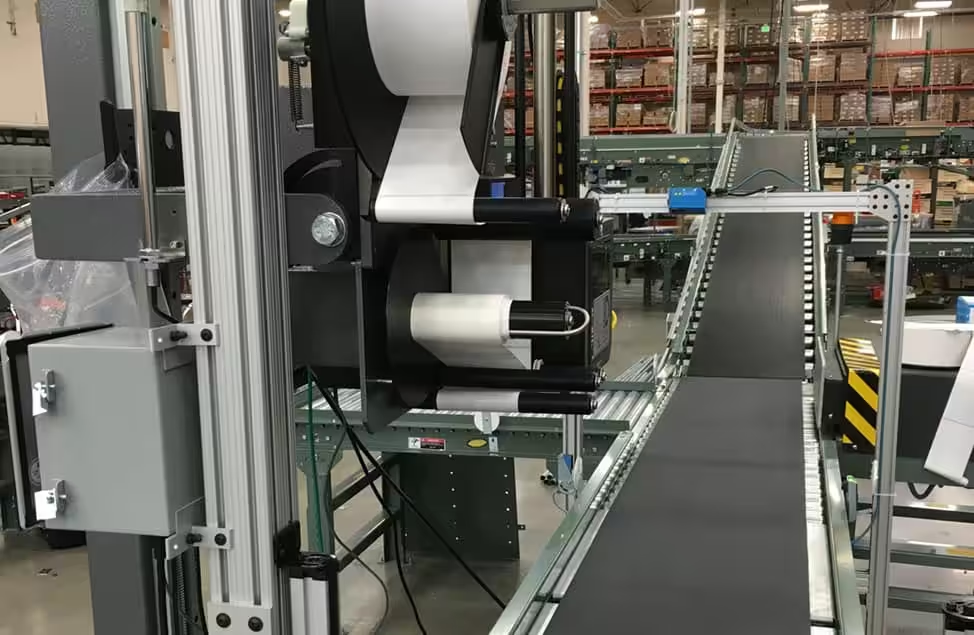
The engineering answer: the automatic label applicator places the label using one of several methods, covered in the next section. The PLC triggers the application from a photo eye and the carton’s tracked position, and confirms the applicator completed its cycle.
5. Verify the label
The problem: a printed label isn’t proof of a correct label. Print heads wear, ribbons wrinkle, and labels skew.
The engineering answer: a verification scanner reads the applied label and compares it to what the WCS sent. A match passes. A no-read or a mismatch fails. LEI’s WCS page describes the verification scanner’s job plainly: to ensure the label was printed and applied properly.
6. Route or reject
The problem: a failed carton can’t continue to the sorter or the dock as if nothing happened.
The engineering answer: the PLC diverts failed cartons to a reject or exception lane, and the WCS logs why. Good cartons continue to sortation, where the same label often drives the divert.
Timing: Where Print and Apply Lines Lose Labels
The problem: the six steps above have to happen within the time a carton takes to travel from the identification scanner to the applicator. That window is set by conveyor speed, carton spacing, and the physical distance between devices.
The consequence: if the WCS answers late, or the printer is still finishing the previous label, the carton reaches the applicator before its label is ready. The line either stops, lets the carton through unlabeled, or (worst case) applies a label to the wrong carton because tracking slipped.
The engineering answer: design the timing on paper before anyone mounts a bracket.
- Place the identification scanner far enough upstream. The distance has to cover the WCS response time and the print time at the line’s peak speed, with margin.
- Track every carton by position, not by sequence alone. Encoder or zone-based tracking holds each carton’s identity as it moves. Sequence-only tracking breaks the first time a carton is pulled off the line by hand.
- Set a deadline for the label data. If the WCS hasn’t answered by a fixed point, the PLC marks the carton for exception handling instead of guessing.
- Control gaps. The applicator needs a minimum gap between cartons to complete its cycle. Upstream metering sets that gap.
- Plan for the printer’s own states. Label out, ribbon out, and print head faults should reach the PLC and the HMI so the line responds, instead of passing cartons through a printer that’s waiting for supplies.
This is also where rated speed meets real throughput. LEI’s published line spec lists a maximum of 20 cartons per minute with one printer and 40 with two. A second printer adds capacity, and it also lets one unit keep running while the other is reloaded or serviced, if the logic is written for it.
Choosing an Automatic Label Applicator
The problem: the application method has to match the cartons, the label position, and the line rate. A method that works on uniform cases can struggle with mixed carton heights or soft packaging.
The common automatic label applicator methods:
- Tamp. A pad holds the label by vacuum and extends to press it onto the carton. Accurate placement on the top or side; the carton usually pauses or slows.
- Tamp-blow. The pad extends close to the carton and a burst of air finishes the transfer. It tolerates more variation in carton height than a pure tamp.
- Air blow. The label is blown across a short gap with no contact. Fast, with tighter limits on distance and label size.
- Wipe-on. The label is fed onto the moving carton and wiped flat by a brush or roller. Suited to fast, consistent product.
- Corner wrap and two-panel. The label wraps a corner so it can be read from two faces, useful when carton orientation varies downstream.
The engineering answer: start from the downstream reader. Ask where the sorter’s scanner and the carrier’s scanners need to find the label, then choose the face and method that put it there reliably across your full carton mix. Test with your real cartons, including the worst ones, before committing.
Verification and Exception Handling
The problem: every print and apply line produces exceptions. The question is whether they’re contained or whether they reach the customer.
The consequence: without a defined exception path, operators pull cartons by hand, relabel them from memory, and put them back on the line. That’s where wrong labels and lost cartons come from.
The engineering answer: define each failure and its destination before start-up.
| Failure | Typical cause | Where the carton goes |
|---|---|---|
| No read at identification | Missing, damaged, or hidden barcode | Exception lane before the printer, so no label is wasted |
| No label data in time | Late WCS or host response, order not found | Exception lane, logged with the reason |
| No label applied | Printer fault, label out, applicator fault | Reject lane; printer status to HMI |
| Verification no-read | Wrinkled, skewed, or poorly printed label | Reject lane for relabel |
| Verification mismatch | Tracking error or wrong label | Reject lane, with an alert, because it means tracking slipped |
The reject lane needs a relabel process that sends the carton back through the system or prints a replacement label from the WCS. Hand-written fixes defeat the purpose.
The log matters as much as the lane. LEI’s labeling line includes real-time statistics with a log of cartons run through the system, an error log and diagnostic summaries (line activity, history, exceptions, detailed stats, printer status), and verification and label verification statistics. Those numbers show whether failures are random or point to one printer, one carton type, or one shift.

Print and Apply Integration Across PLC Platforms
The problem: many facilities run more than one PLC platform, and buyers ask whether a print and apply system will work with what they have.
The engineering answer: print and apply works on any major PLC platform when the roles are clear. In a typical design:
- The WCS sends label content to the printer, often over Ethernet, because it holds the order data.
- The PLC handles timing: carton tracking, the print trigger, the apply trigger, and the result of the verification scan. It talks to the printer and scanners over discrete I/O or an industrial network such as EtherNet/IP or PROFINET, depending on the platform and the devices.
- The HMI shows status: printer state, reject counts, and faults, so operators and maintenance can act without a laptop.
Allen-Bradley, Siemens, Beckhoff, and Keyence controllers can all do this work. The details that change from one platform to another are the network protocol, the device configuration files, and the programming environment. The sequence of steps stays the same. The Pitman Creek project, one of LEI’s published success stories, used an Allen-Bradley PLC, SICK cameras for scanning, a Panther P9 print and apply unit, and ConveyorWorks to send the routing messages to the PLC.

LaFayette Engineering uses only open, non-proprietary components and programming architectures, with components from recognized manufacturers so spare parts are available locally. For a print and apply line, that means the owner’s maintenance team can see and support the logic that runs the labeler.
Safety and Maintenance
The problem: a print and apply unit combines electrical power, compressed air, moving tamp pads, and cutting edges. Operators also open it several times a shift to change labels and ribbons.
The consequence: routine supply changes become a safety exposure if the unit isn’t designed for them, and downtime grows if every change requires a technician.
The engineering answer: design for the daily tasks.
- Guard the applicator and interlock access points so the tamp can’t cycle while hands are in the path.
- Isolate both energy sources. Pneumatic energy counts. OSHA’s control of hazardous energy standard, 29 CFR 1910.147, covers servicing and maintenance where unexpected energization or release of stored energy could injure employees, and an applicator’s air supply needs a lockable isolation point and a way to bleed stored pressure.
- Separate supply changes from servicing. Label and ribbon changes should follow a short, trained procedure. Print head replacement and applicator adjustments belong to maintenance.
- Stock the wear parts. Print heads and platen rollers wear in normal service. LEI’s guide to conveyor spare parts strategy covers how to decide what to keep on the shelf.
This section is general information, not engineering or safety advice. Your site’s energy control program and the equipment manufacturer’s instructions govern servicing.
Questions to Ask Before You Buy a Print and Apply System
A print and apply line is easier to specify when these questions are answered first:
- What’s on the label, and where does the data come from? Carrier labels, compliance labels, and license plates each come from different systems.
- What’s the peak rate, not the average? Size printers and timing for the busiest hour.
- What’s the full carton mix? Smallest, largest, softest, and the ones with tape or flaps in the way.
- Which face does the downstream reader need? Let the sorter and the carrier decide label position.
- What happens to every failure? Name the destination and the relabel process for each one.
- Who supports it at 2 a.m.? The printer, the WCS, and the PLC logic should have one owner for troubleshooting.
- What statistics will you get? Read rates, reject counts by reason, and printer faults should be visible without asking IT.
How LaFayette Engineering Approaches Print and Apply
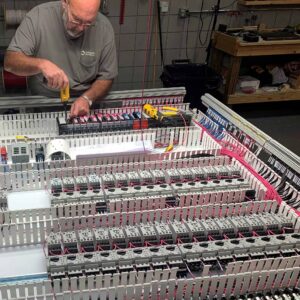
LaFayette Engineering designs and installs controls for conveyor systems, including high-speed case sortation. Print and apply sits inside that work: the PLC logic that tracks each carton, the panels, the HMI, and the ConveyorWorks WCS that supplies label data and verifies the result.
LEI’s published print and apply line is a complete line with controls, electrical wiring, scanner, and printer. It’s built to tie into an existing system or run stand-alone, and ConveyorWorks can tie into any WMS. Because LEI writes the controls and the WCS, the timing, the exception handling, and the statistics are designed together rather than stitched together after start-up.
To talk through labeling on a new line or an existing one, see LEI’s Print & Apply solutions or its ConveyorWorks warehouse control system.
Frequently Asked Questions
What is print and apply?
Print and apply is an automated labeling process that prints a label for a specific carton on demand and applies it to the carton as it moves on a conveyor. A complete system also identifies the carton beforehand and verifies the label afterward.
How does print and apply labeling work?
A scanner identifies the carton, the WCS or host system sends the label data, the printer prints the label, and the applicator places it. A verification scanner then reads the label, and the PLC sends any carton that fails to a reject lane.
What does a print and apply system include?
A typical system includes an identification scanner, a print engine and applicator, conveyor for inducting and labeling, a verification scanner, PLC controls, and software that merges label data and communicates with the host system. Many lines add an in-line scale and dimensioner.
What are the types of automatic label applicators?
The common types are tamp, tamp-blow, air blow, wipe-on, and corner wrap. The right one depends on carton size and variation, the label position the downstream readers need, and the line rate.
Why do print and apply systems need a verification scanner?
A printed label isn’t always a correct or readable label. Print heads wear and labels skew or wrinkle. The verification scanner confirms each label before the carton reaches the sorter or the dock, so bad labels are caught in the building.
Will a print and apply system work with my PLC?
Print and apply can be integrated with all major PLC platforms, including Allen-Bradley, Siemens, Beckhoff, and Keyence. What changes between platforms is the network protocol and device configuration. The design steps stay the same.
How fast can a print and apply line run?
It depends on the printer, the application method, carton spacing, and how quickly the label data arrives. LEI’s published print and apply line lists a maximum of 20 cartons per minute with one printer and 40 with two.